Digital Overload and Brain Fog
Choose where you are now
Select a guide to start reading. You can switch later.
Screens can make thinking harder for different reasons. Alerts break your concentration. Short videos make you switch subjects every few seconds. Scrolling in bed can keep you awake. Long sessions can leave you with dry eyes, a headache or neck pain.
Updated: 11 August 2026 Reviewed: 2026-03-23 Reviewed by Dr. Alexandru-Theodor Amarfei, M.D.Did you know?
Start here
Does your thinking worsen during or after screen use?
Signs that screens are involved
- You can work longer when the phone is in another room.
- Your thinking gets worse after short videos, repeated checking or constant messages.
- Late use delays sleep and the next morning is noticeably worse.
- Reading, writing or conversation becomes easier when you receive fewer alerts and spend less time switching between apps.
Signs to look beyond screens
- The same difficulty existed long before heavy smartphone use.
- You wake exhausted even after enough time in bed.
- Low mood, anxiety, migraine, eye pain or neck pain is the main problem.
- You turn off alerts, stop scrolling at night or put the phone away, but your thinking is no clearer.
Self-check
What do your screen-time numbers mean?
There is no accepted daily screen-time or pickup limit for adults, so the numbers are not a pass or fail. For context, UK adults averaged 4 hours 30 minutes online each day in May 2025 on personal phones, tablets and computers. Adults aged 18 to 24 averaged 6 hours 20 minutes. These are averages, not healthy targets, and they include useful activity as well as entertainment.
Total time shows where the day went
Four hours of work, navigation or video calls is different from four hours of short videos or late-night scrolling. Open Screen Time on an iPhone or Digital Wellbeing on an Android phone and check which apps used most of the time.
Pickups show how often you checked your phone.
In one small study, 62 parents picked up their phones 93 times a day on average. That does not tell us how often adults in general check their phones. Your number is more useful when it shows repeated checking during work, conversations or bedtime, especially when alerts caused the pickups.
Screen use is causing a practical problem when it repeatedly cuts into sleep, movement, work or time with others, or when the same activity gets easier with the phone away.
The kind of use matters
Four hours of focused work is not the same as four hours of scrolling
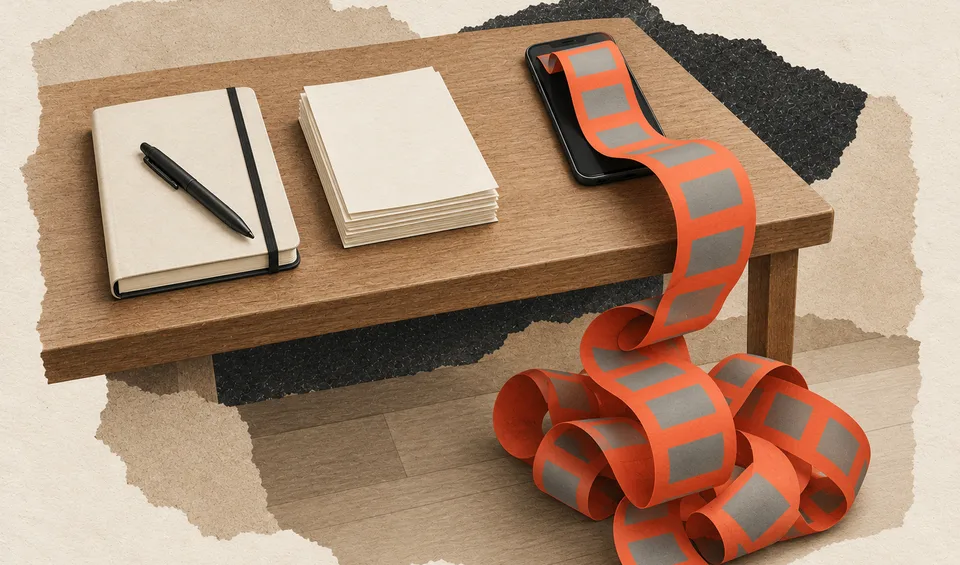
Focused or necessary use
Writing, designing, coding, navigating and speaking to someone have a purpose and an end. The screen is being used to complete something.
Interrupted use
Messages, alerts and extra tabs can repeatedly interrupt your work. The interruptions are the problem, not the screen on its own.
Feeds without a stopping point
Short videos and continuously updated feeds keep presenting another item. They can take time from sleep or longer work without giving you a clear point to finish.
Why screens can cause brain fog
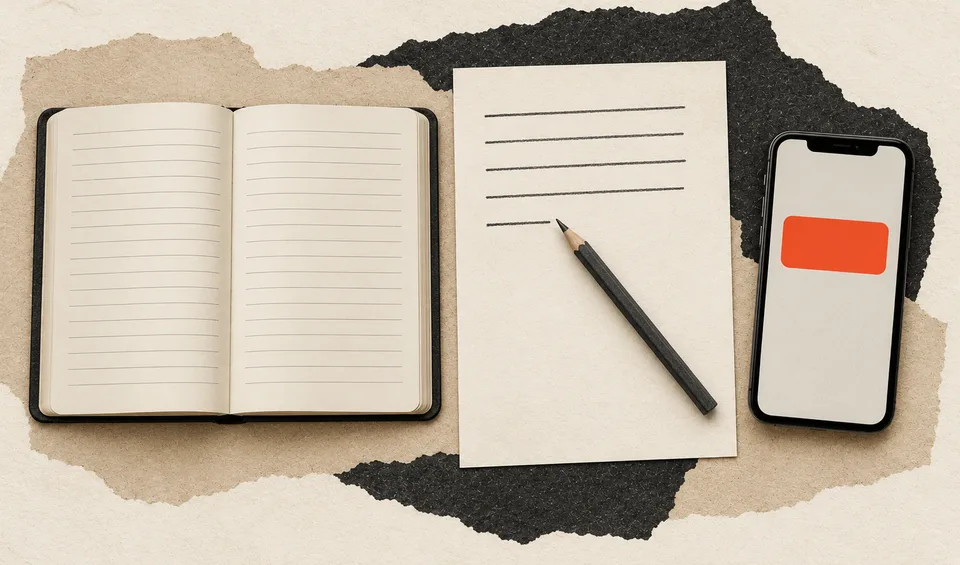
Interruptions
An alert can interrupt reading, a calculation or a conversation. After checking it, you have to remember where you stopped and continue from there.
Short-form feeds
Each short video changes the subject. You then decide whether to keep watching, swipe, read or react. A 2025 review linked heavier use with worse attention and greater difficulty ignoring distractions or stopping an automatic response. Most studies could not show which came first.
Bedtime use
Bright light is not the only problem. Videos, games, messages and scrolling can keep you awake and make you go to bed later. Sleeping less can make concentration and memory worse the next day.
Eyes, head and neck
Screen use can also make thinking harder through eye discomfort, headaches or neck pain. Dry or blurred eyes can lead to squinting and headaches, while a low screen or fixed position can strain the neck. If these problems begin before thinking gets harder, address them or the screen setup.
Difficulty stopping
Spending hours on a phone isn't the same as losing control. Losing control means you open an app without meaning to, can't stop when you want to and keep going even after it harms your sleep, work or relationships.
Start with the main problem
Which sounds most like you?
Choose one answer for a practical response and the most relevant page to read next.
Your thinking may get worse after eye strain, a headache or neck pain.
What to do
- Raise or reposition the screen if you are bending your neck to see it.
- Take regular breaks to blink, look into the distance and change position.
- Ask an optometrist or clinician about persistent eye pain, blurred vision or headaches.
Decide which alerts can interrupt you
Keep alerts that need an immediate response. Check the rest when you choose, or turn them off.
Sort your common alerts
Calls from key people
Texts from family / partner / childcare
Bank / fraud alerts
Calendar reminders
Work chat pings
Delivery / travel updates
News alerts
Likes / follows / comments
Shopping promos
Game streaks / rewards
Keep on
Keep alerts that genuinely need an immediate response.
- Calls from key people
- Texts from family / partner / childcare
- Bank / fraud alerts
Batch
Check these at times you choose if your job and responsibilities allow it.
- Calendar reminders
- Work chat pings
- Delivery / travel updates
Turn off
Turn these off if they interrupt you without helping you act now.
- News alerts
- Likes / follows / comments
- Shopping promos
- Game streaks / rewards
Why this may help
In one trial, people were assigned at random to block mobile internet. They became better at staying focused. The trial changed all mobile internet use, not only notifications.
Can you focus better when your phone is out of reach?
A phone on the desk is easy to check, even with alerts off. Moving it away adds a practical obstacle: you have to leave the task to pick it up.
Phone distance
Phone nearby versus phone in another room
Compare the same kind of task with your phone nearby and farther away.
Where the phone is
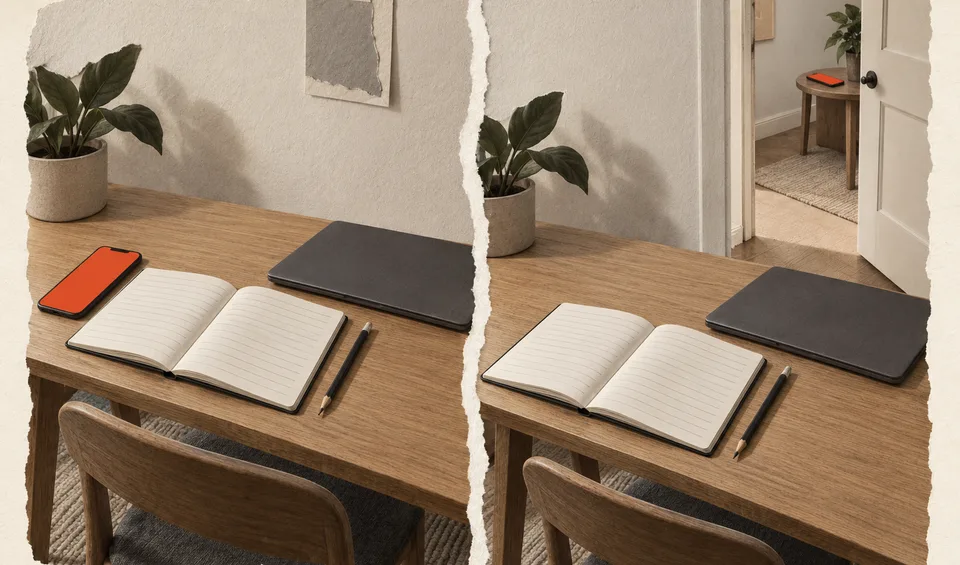
Phone placed beside the work area
Phone placed away from the work area
Phone in another room
Checking the phone means leaving what you are doing.
Phone on the desk
The phone is still within reach, even with alerts turned off.
Late use and the following morning
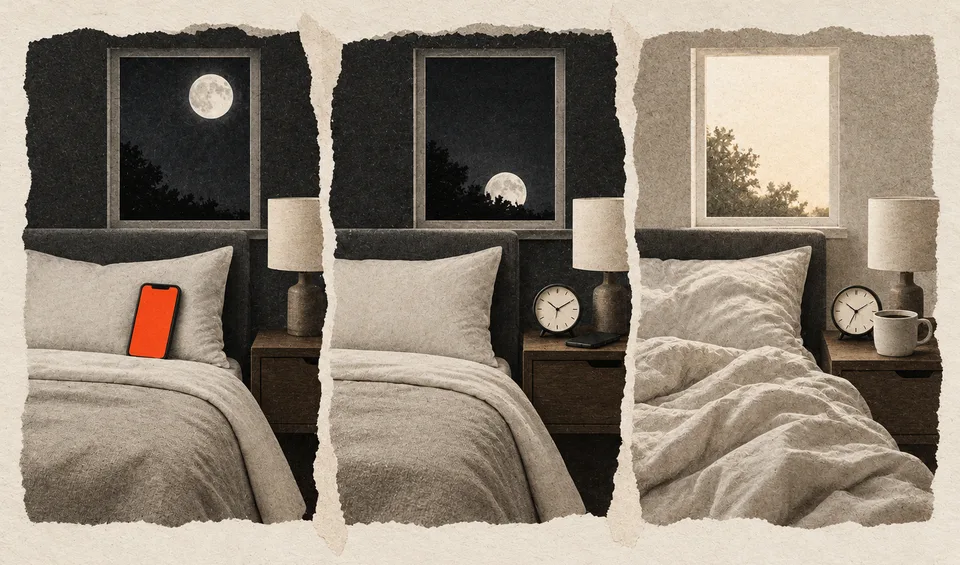
Screen use continues late
Sleep starts later
Less alert next morning
In a controlled experiment, people read from either a light-emitting e-reader or a printed book in the evening. The e-reader delayed their body clock and left them less alert the next morning. In everyday life, screen use also changes when you go to bed, what you read or watch, and how stimulated you feel. Light explains only part of the effect.
Results vary by task and study. Some experiments found better attention or memory when the phone was farther away; others found no clear difference. A 2024 analysis of 33 studies found no clear overall effect from a phone's presence alone.
How the problem changed
Digital overload did not begin with social media
Researchers were studying interrupted computer work before smartphones became common. Phones then made messages, feeds and work available everywhere. With AI, people now also check, choose and correct what it produces.
2008
Interrupted computer work
People finished interrupted email tasks faster, but reported more stress, frustration, time pressure and effort. The 2008 experiment involved 48 people, most of them university students, working in a simulated office.
2015
Screens at night
Evening use of a light-emitting e-reader delayed sleep and reduced next-morning alertness compared with reading a printed book.
2017-23
The phone within reach
One experiment found poorer performance when a phone was nearby. Later studies found that the size and consistency of the effect varied by task and study.
2025
Mobile internet and short-form feeds
In a randomized trial, blocking mobile internet for two weeks helped people focus for longer. A separate review linked heavier short-video use with poorer attention and more trouble ignoring distractions or stopping an automatic response.
Now
AI answers still need checking
AI can produce an answer quickly, while the user still checks facts, chooses what to keep, corrects mistakes and explains the result.
Eyes, sleep and pain
What helps when the screen affects your body
Dry or tired eyes
Late-night use
Move stimulating screen use earlier and keep the phone out of bed.
Headaches or neck pain
Raise or reposition the screen, change position and break up long sessions. If pain starts before brain fog, deal with the pain and workstation rather than blaming attention alone.
Other explanations
When screens are only part of the problem
ADHD
Attention, time and organization problems usually reach back to childhood and appear in more than one setting. Phone alerts and repeated app switching can make those existing problems worse.
Sleep disorder
Waking unrefreshed, loud snoring, gasping or severe daytime sleepiness needs a sleep assessment. Reducing bedtime use will not treat obstructive sleep apnea.
Anxiety or depression
If worry, low mood or loss of interest continues when the screen is away, the phone may be a way to cope, not the main cause.
Burnout
If exhaustion follows sustained demands and continues through quiet weekends, reducing alerts may help work but may not resolve the exhaustion.
Different lives, different problems
The same screen advice does not work for everyone
Children and teenagers
A video call with friends is different from short videos after midnight. Look at the content, timing and what the screen use replaces, including sleep, schoolwork, movement and time with other people. Household rules should apply to adults too.
Students and screen-based workers
You may not be able to reduce the hours. Protect work from alerts, mark which messages are urgent and agree on reply times.
People sitting at a screen for most of the day
Digital work can also mean long periods without standing or walking. Break up the sitting even when you cannot reduce the screen hours.
Writers, designers and other creative work
Making something on a screen is different from consuming a feed. Messages, extra tabs and repeated checking can interrupt the work even when the screen itself is necessary.
Older adults
An unfamiliar interface, small text and too many alerts can make a simple task unnecessarily difficult. Fewer apps, larger text and simpler notifications may help more than telling someone to spend less time online.
Seven-day comparison
Compare your screen use and brain fog over seven days
Add today, then return from the same browser on six more days. After the seventh entry, you'll see whether screen time, scrolling, bedtime use or keeping the phone away changed with your brain fog. The full log stays in this browser. If you are signed in, My Fog saves a dated summary each time you add a day.
The mobile-internet trial found that people could stay focused better after two weeks. The research reviewed here does not establish how long persistent brain fog takes to clear. Use this week to see what changes with your screen habits. If your thinking is just as difficult away from screens, the next section explains what else to check.
Open My Fog to see the saved summaries. Return to this page for the full seven-day comparison.
If the problem continues
Explain what still happens when the screen is away
Tell the clinician when the problem started and which type of screen use makes it worse. Say what's left after you turn off alerts or keep the phone out of bed. Mention any headaches, eye or neck pain, low mood, lifelong attention problems, snoring or severe daytime sleepiness.
What to say
Use the parts that fit. If you have not tried a change yet, leave that sentence out.
My concentration gets worse during or after [notifications, switching between apps, late-night use, or another activity]. When I tried [change], I noticed [what improved, stayed the same, or became worse]. Can we check whether screen use is causing the problem, making another condition worse, or simply where I notice it?
Key distinction
High Use vs Compulsive Use
High use
- Chosen and intentional
- Generally enjoyable
- Can stop when needed
- No significant effect on daily life
Compulsive use
- Automatic and hard to control
- Often followed by guilt or regret
- Repeated attempts to stop fail
- Disrupts sleep, work or relationships
When deleting an app fails
Deleting one app may move the habit somewhere else
Some people delete one social app, then start refreshing news, email, the same feed in a browser or another platform. The app changed, but the repeated checking did not.
“I deleted Facebook and just replaced it with Reddit.”
Check your screen use
What are your screen-use habits?
Answer 13 questions about notifications, daytime use, bedtime use and difficulty stopping. Your answers stay in this browser. If you are signed in, My Fog also saves a short summary.
0 of 13 answered
How many app notifications do you receive per day (estimate)?
How many apps can send you alerts?
Do you check your phone within 5 minutes of notifications, even when busy?
AI use and overload
AI can save time and still leave you with more work
AI can produce an answer in seconds. You still have to check whether it is true, decide what belongs in the final work, correct mistakes and explain the result to other people. In a 2025 survey, 319 knowledge workers described their own examples of using AI at work and how much thinking those tasks took. They reported a shift toward checking AI answers, fitting them into their work and overseeing the result. In a separate six-month experiment with 6,000 workers, AI reduced time spent on email and sped up some document work. It did not reduce time spent in meetings.
When AI creates more work
You ask for several versions, compare them and repair weak answers. That checking may be necessary. But you may spend more time comparing versions than doing the work, keep reopening the chat after the job is finished, or find it hard to make routine decisions without it. Those are more useful problems to address than the number of prompts.
Stop when the job is finished
Decide what you need before opening the chatbot. When the answer meets that need, you're done. Check the final work outside the chat. Ask for another version only if you can name what's missing.
If you decide to block the app or feed
Remove the shortcut, sign out and block the website
If you reopen the app
Remove its shortcut, sign out, or use an app limit with a passcode held by someone you trust.
If you override every timer
Put the phone outside the room or use a timed lockbox during the time when you usually scroll longer than intended.
If you need the phone for essential services
Keep calls, maps, banking, health and family contact available. Restrict the specific feed or time window causing the problem.
Why you open the feed
Why do you keep opening the feed?
People described scrolling to escape boredom, loneliness, pain, exhaustion or work they dreaded. If you want company, message or call someone instead of opening the feed. If you are avoiding work, block the feed while you work. Pain or exhaustion will still be there after you put the phone away.
Why common fixes fail
Why app timers, grayscale and deleting apps may fail
- App timers: a timer does little if closing it takes one tap.
- Grayscale: it may make the screen less attractive at first, but people often adapt.
- Deleting everything: it can remove useful contact and services while leaving the reason for scrolling unchanged.
- “Find a hobby”: this gives no clear alternative when the phone is already in your hand. Put a book, puzzle or headphones where you usually start scrolling.
Professional support
Ask for help when you keep trying to stop and cannot
Ask for help when losing control of your phone use affects your sleep, study, work, money or relationships. Also ask if you use the phone to cope with anxiety, depression, loneliness or pain. A 2013 review found early signs that talking therapies could reduce problem internet use.
A direct opening
“I have tried to reduce [specific app or activity] several times. I still use it longer than I intend, and it is affecting [sleep, work, study or relationships]. I would like help with the use itself and with what I am using it to cope with.”
Start with the problem you can see
Talk about what the phone use is disrupting
Say what you have noticed: missed conversations, a later bedtime, unfinished work or repeated checking during time together. Deal with that problem without blocking access to friends, banking or health services.
Perspective
What you see vs what they experience
What you see
- Constant phone checking
- Ignoring conversations
- Staying up late scrolling
- Inability to focus on shared activities
- Irritability when asked to put the phone down
What they may be experiencing
- Checking before they have decided to pick up the phone
- Finding it hard to stop even when they want to
- Feeling guilty about the time spent
- Using the phone to distract themselves from boredom, loneliness, pain or worry
- Feeling mentally tired after repeated checking
For partners
Addressing it without nagging
Lead with observation - “We have both been going to bed later because we keep scrolling.” Ask if they see the same problem.
Propose a shared change . Try phone-free dinners or charge both phones outside the bedroom.
Check your own habits . If you're also on your phone during downtime, the request feels unfair.
Offer an activity away from the phone - suggest a walk, a game, cooking or a conversation instead of only saying “put the phone down.”
For parents
Helping a Teenager
Two hours spent video-calling friends is different from two hours of short videos after midnight. Current American Academy of Pediatrics guidance asks families to look at the content, timing and setting. It also asks whether screen use replaces sleep, schoolwork, exercise or time with other people.
Start with data, not a lecture . Look at Screen Time or Digital Wellbeing together and ask which apps took the time.
Ask what happens during and after use - “How do you feel after half an hour of scrolling?” is more useful than “You are on your phone too much.”
Follow the same household rules . A phone-free dinner or bedroom rule should apply to adults too.
Start with the affected part of life
If sleep is the problem, keep devices out of bedrooms. If homework is repeatedly interrupted, protect a specific study period. If upsetting content is the problem, discuss the content, not only the time.
Loss of control mattered more than the starting number of hours
Young people whose screen use became harder to control over time had a higher later risk of mental-health problems. Their total screen time at the start of the study was not linked to those outcomes. The study observed an association and did not establish cause and effect.
When the phone is also essential
Keep the useful parts available
A phone may provide contact with family, maps, banking, health services, accessibility tools or emergency help. Change the feed, alert or time of day causing the problem instead of removing the whole device.
For an older adult
Remove unused apps, enlarge the text and keep important contacts on the first screen. Turn off promotional alerts without silencing calls or appointment reminders.
For a partner or housemate
Choose a shared rule that matches the problem. Charge phones outside the bedroom when sleep is affected, or keep them away from the table when conversations are being missed.
Workplaces
Do not demand instant replies and uninterrupted work at the same time
A manager cannot ask people to ignore messages while rewarding immediate replies. Mark which channels are urgent, set response times, and protect periods when chat can be closed. In one workplace study, checking email at set times reduced interruptions and short-term emotional exhaustion for some workers. It helped especially when instant replies were not expected. The effect had worn off two weeks later, and workers did not become more engaged in their jobs.
When they need more help
Suggest help when phone use is harming daily life
Suggest help when phone use repeatedly disrupts sleep, school, work, money or relationships, or when the person wants to cut back but cannot. If they use the phone while driving, address that danger directly.
Visit prep
Open the Digital Overload doctor handout
Open the public handout now to prepare focused questions for your visit.
This opens in your browser. We don't ask for email or add you to lists.
References
2026 Research Update
Primary Sources
References
- Nguyen L, Walters J, Paul S, et al. Psychological Bulletin, 2025 - short-form video use and cognitive and mental-health correlates across 71 studies [Link]
- Winkler A, Dorsing B, Rief W, et al. Clinical Psychology Review, 2013 - preliminary treatment evidence for problematic internet use [Link]
- Wijngaards I, Pronk FR, Burger MJ. Internet Interventions, 2022 - when workplace email batching did and did not help [Link]
- Munzer T, Parga-Belinkie J, Milkovich LM, et al. Pediatrics, 2026 - AAP Digital Ecosystems policy [Link]
- Xiao Y, Meng Y, Brown TT, Keyes KM, Mann JJ. JAMA, 2025 - addictive screen-use trajectories and mental-health outcomes in US youth [Link]
- Lee HP, Sarkar A, Tankelevitch L, et al. CHI, 2025 - how generative AI changed critical-thinking work [Link]
- Dillon E, Jaffe S, Immorlica N, Stanton C. Microsoft Research, 2025 - a six-month field experiment of generative AI at work [Link]
- Ciudad-Fernandez V, von Hammerstein C, Billieux J. Addictive Behaviors, 2025 - why heavy AI use should not automatically be called addiction [Link]
- Ward et al., JACR, 2017 - Brain Drain: smartphone presence reduces cognition [Link]
- Castelo et al., PNAS Nexus, 2025 - Blocking mobile internet improves sustained attention and well-being [Link]
- Bottger et al., Behav Sci, 2023 - Meta-analysis of the brain-drain effect [Link]
- Skowronek et al., Sci Rep, 2023 - Smartphone presence reduces basal attention performance [Link]
- Mark, Gudith and Klocke, CHI, 2008 - The Cost of Interrupted Work: More Speed and Stress [Link]
- Chang et al., PNAS, 2015 - Evening e-reader use impairs sleep and next-morning alertness [Link]
- Talens-Estarelles et al., Cont Lens Anterior Eye, 2023 - Testing the 20-20-20 rule for digital eye strain [Link]
- Singh et al., Am J Ophthalmol, 2021 - Blue-blocking lenses did not reduce computer eye strain in a randomized trial [Link]
- Hartstein et al., Sleep Health, 2024 - National Sleep Foundation screen use and sleep consensus statement [Link]
- Wilmer et al., Front Psychol, 2017 - Smartphones and cognition review [Link]
- Ward et al., 2017 · Böttger et al., 2023 · Skowronek et al., 2023 · Hartanto et al., 2024
- Ward et al., 2017 · Böttger et al., 2023
- Castelo et al., 2025 · Nguyen et al., 2025
- Lee et al., 2025 · Dillon et al., 2025 · Ciudad-Fernandez et al., 2025
- Wijngaards et al., 2022 · Workplace discussion
- Ofcom Online Nation, 2025
- Munzer et al., 2024